How to make a video game with your kid
Sooner or later, a kid who loves games asks the question: can we make one? You don’t need to know how to code to say yes. You need a free afternoon, the right starting point for their age, and the nerve to let them be the boss of it.
This guide is for kids from 5 to 9, the ages most guides skip. It works with any tool. The pictures are from ours, an app called Game Creators Club.
What making a game means at 5, 7 and 9
It doesn’t mean typing. At these ages, making a game means deciding how it works.
- At 5, it’s changing one thing in a game that already works: how high the spring throws you, where the coins sit.
- At 7, it’s building a level of their own and giving the things in it rules: this gate opens only with the key.
- At 9, it’s a game with several levels, a score that counts, and friends who play it and say what’s too hard.
All three are real game making. A kid who moves a spring, then plays the level again to see what changed, is doing what a game designer does all day.
Start by changing a game that already works
The most common mistake is the blank page. A new project in a grown-up tool asks a six-year-old to invent a hero, a world and a goal before anything moves. Most kids stall there, and decide that making games is boring.
People who teach computing have a name for the better path: use, modify, create. A child first plays with something that works, then changes it until it starts to feel like theirs, then makes something new. The K–12 Computer Science Framework describes the progression, which comes from a 2011 paper by Irene Lee and her colleagues.
So the first session isn’t “let’s make a game”. It’s “let’s change this one”.
Make one on paper first
Before any screen, try ten minutes with paper. Draw a wiggly track of twenty squares. Find a die and two coins to move along it. Play it once. It’s dull, and that’s the point.
Now ask: what one rule would make it better? Land on a red square and go back three. Roll a six and swap places. Let them add one rule, then play again.
That’s the whole craft, small: a goal, some rules, a test, a change. A kid who has done it on paper knows what they’re doing when the same loop turns up on a screen.
Which game maker fits which age
- [ScratchJr](https://www.scratchjr.org/) is free and made for ages 5 to 7. Kids snap picture blocks together to make their own interactive stories and games. It’s a gentle first taste, and we’ve written about what comes after it.
- [Scratch](https://scratch.mit.edu/parents/) is free and, in its makers’ words, designed especially for ages 8 to 16. It can make almost anything. It also asks for reading, planning and a blank stage to fill.
- A level editor inside a game they already play, such as Super Mario Maker 2. Kids build courses from ready-made parts. They can place a spring, but they can’t change what a spring does.
- Game Creators Club, which we make, is for ages 5 to 9 on iPad, iPhone and the web. Kids start inside finished levels, look at the rules that run them, then build their own. The rules are pictures, so nobody has to read.
A first game in one sitting
Here is the afternoon, step by step. The steps are the same in any tool.
Play a finished level
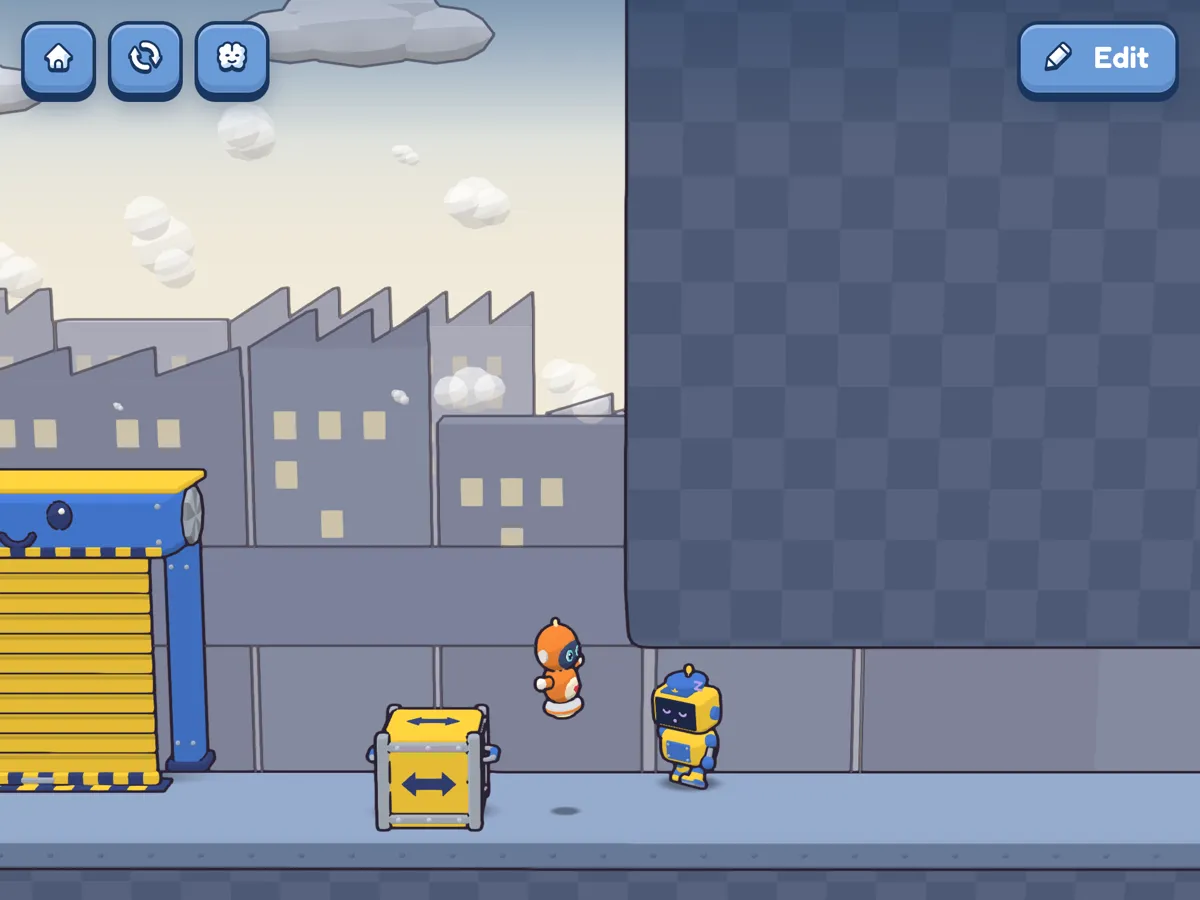
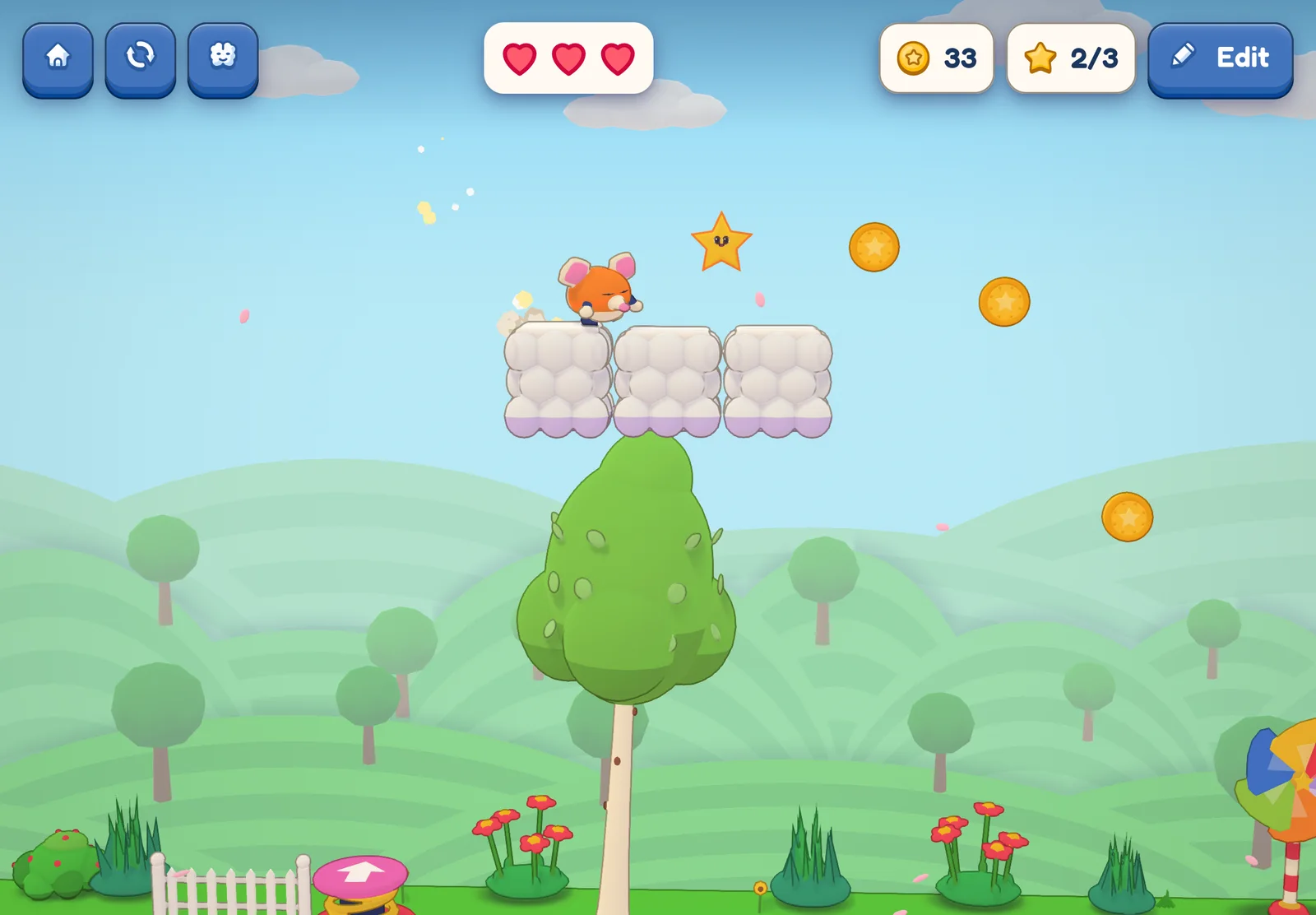
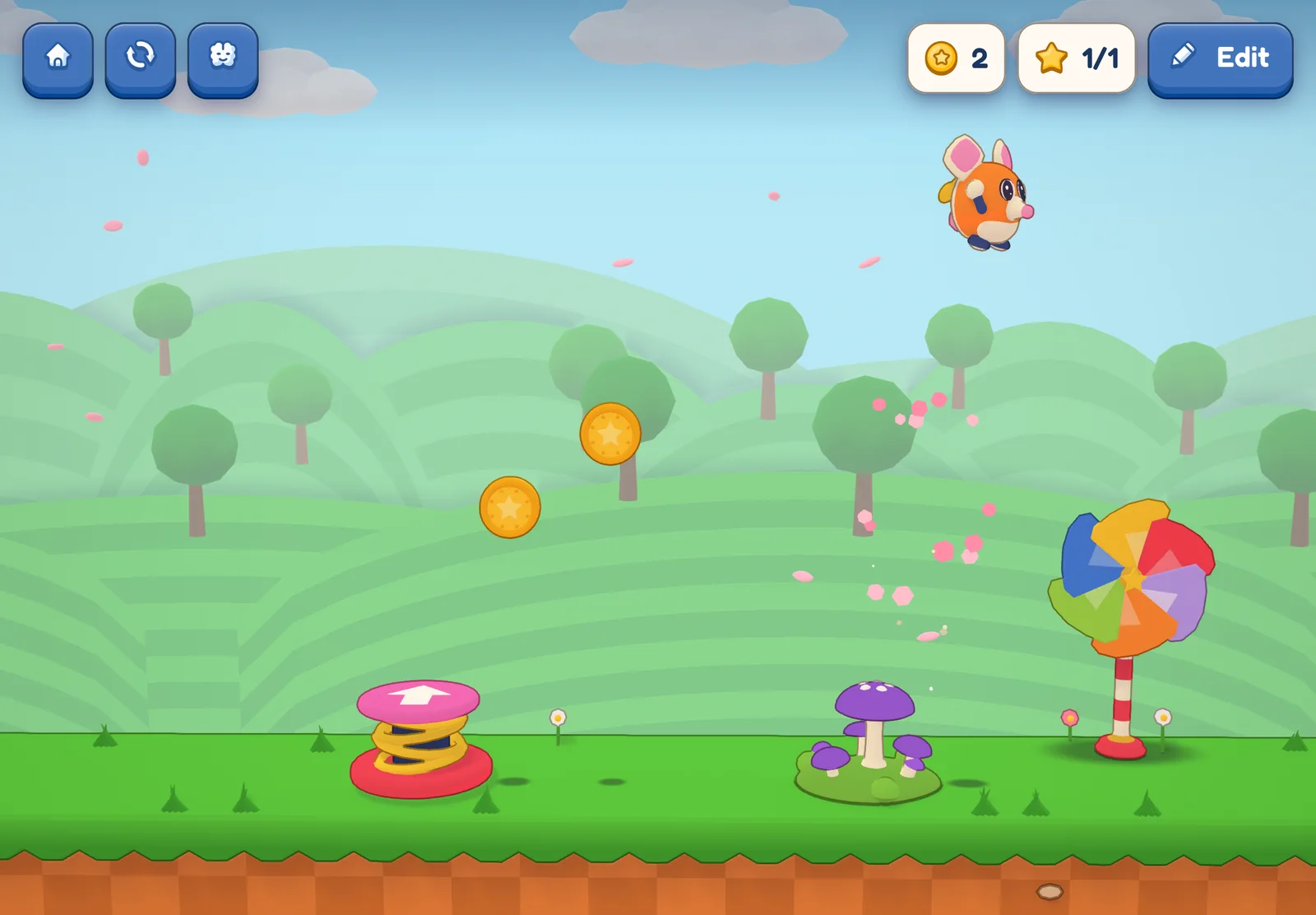
Start with a level somebody else made, and just play. In this one, Kip bounces off springs and mushrooms on his way to a pinwheel. Don’t teach anything yet. Let them find the part they love.
Look inside it
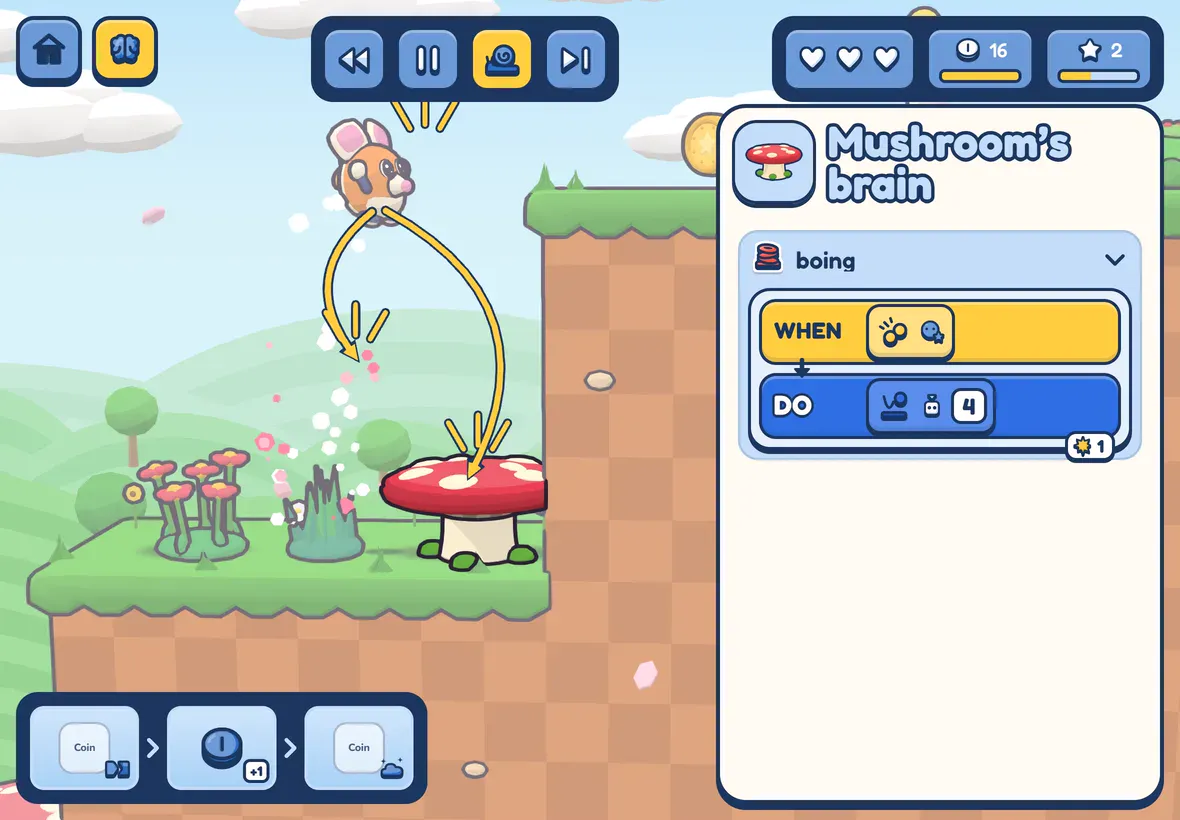
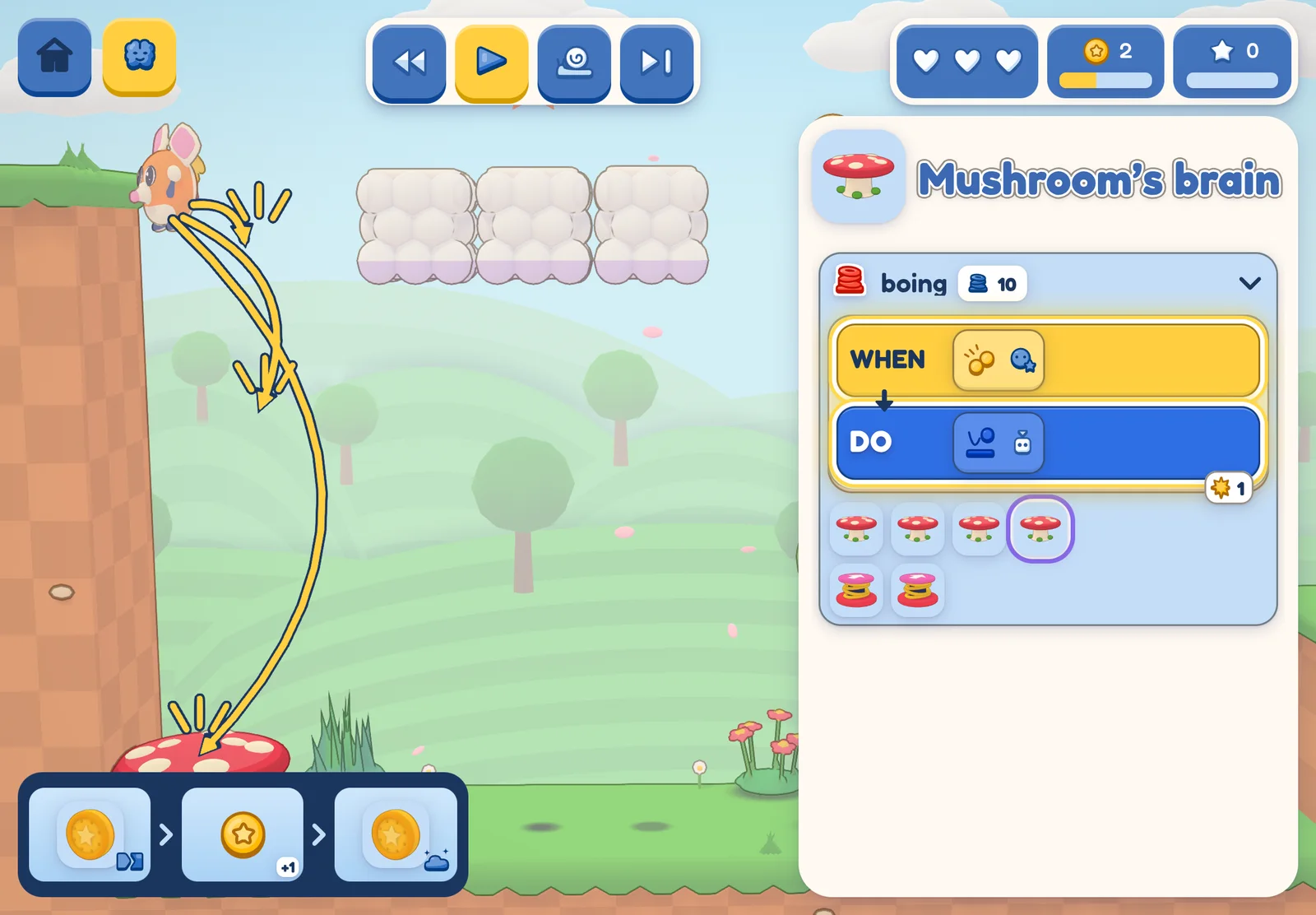
Then ask the question that turns a player into a maker: why does the mushroom bounce you? In Game Creators Club every game has a brain, and a kid can open it while the game runs. The mushroom’s brain holds one rule, in pictures: when Kip bumps me, bounce him. The rule lights up each time it runs.
Start their own
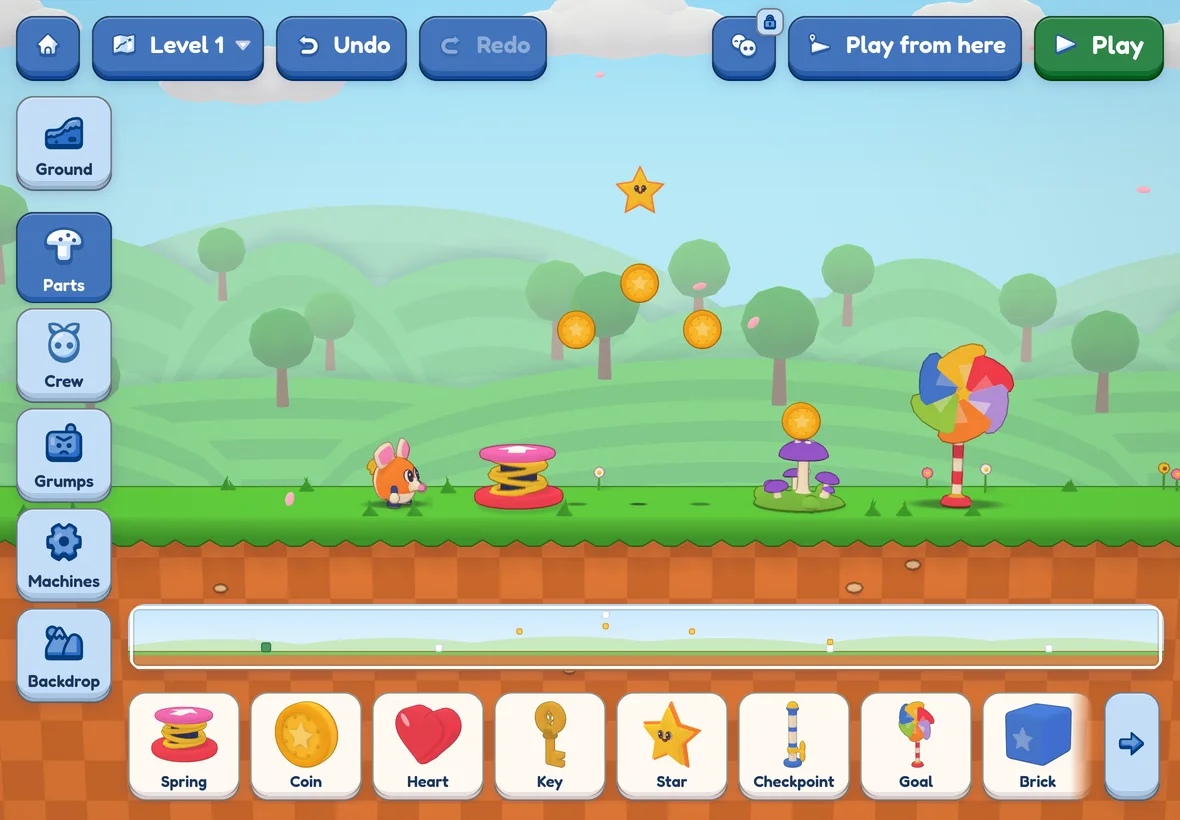
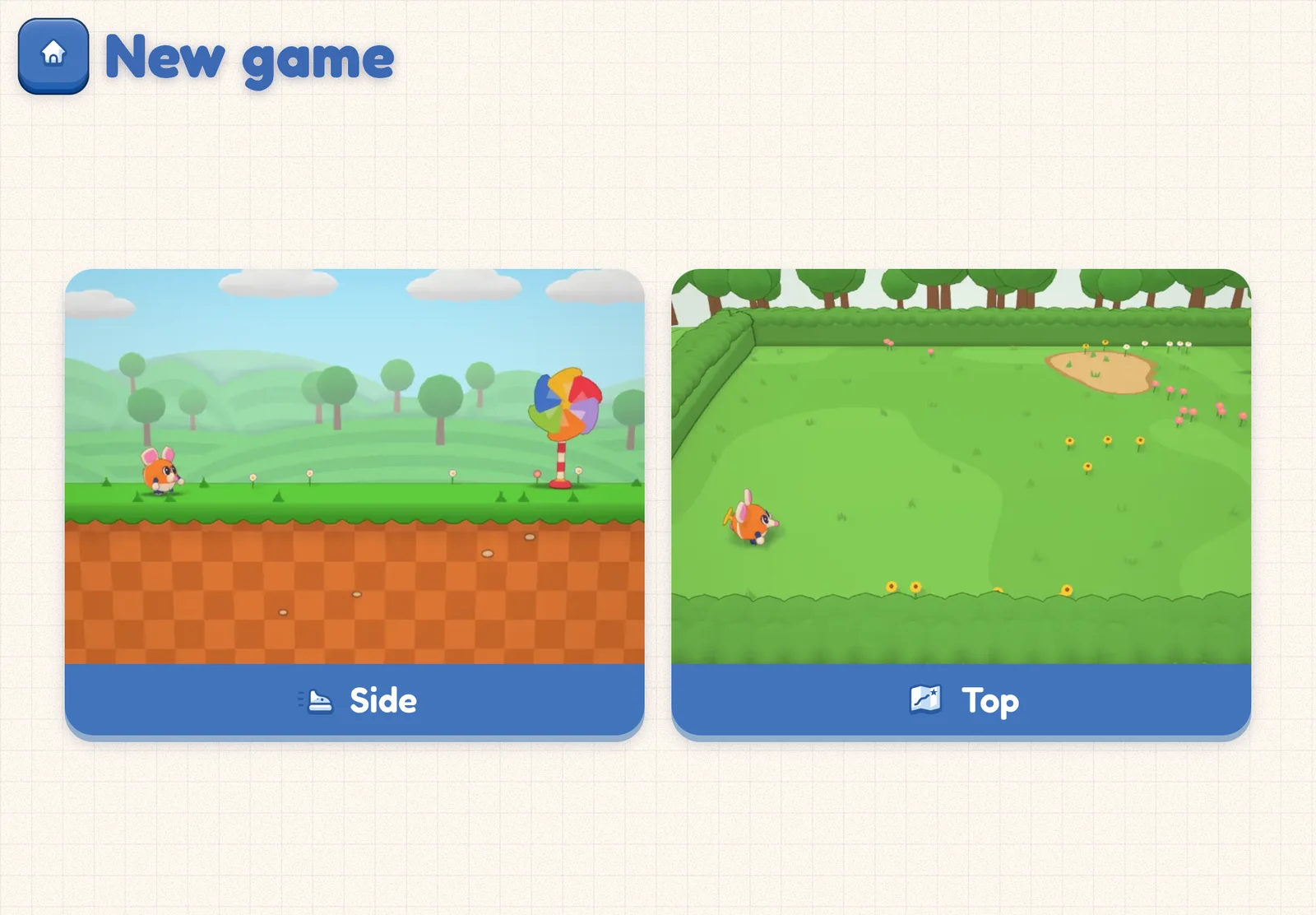
Now they’re ready for a page of their own, and it isn’t blank. A new game opens with Kip, some ground and a pinwheel to reach. The only choice at the start is the view: from the side, or from the top.
Put in a few parts, then change one number
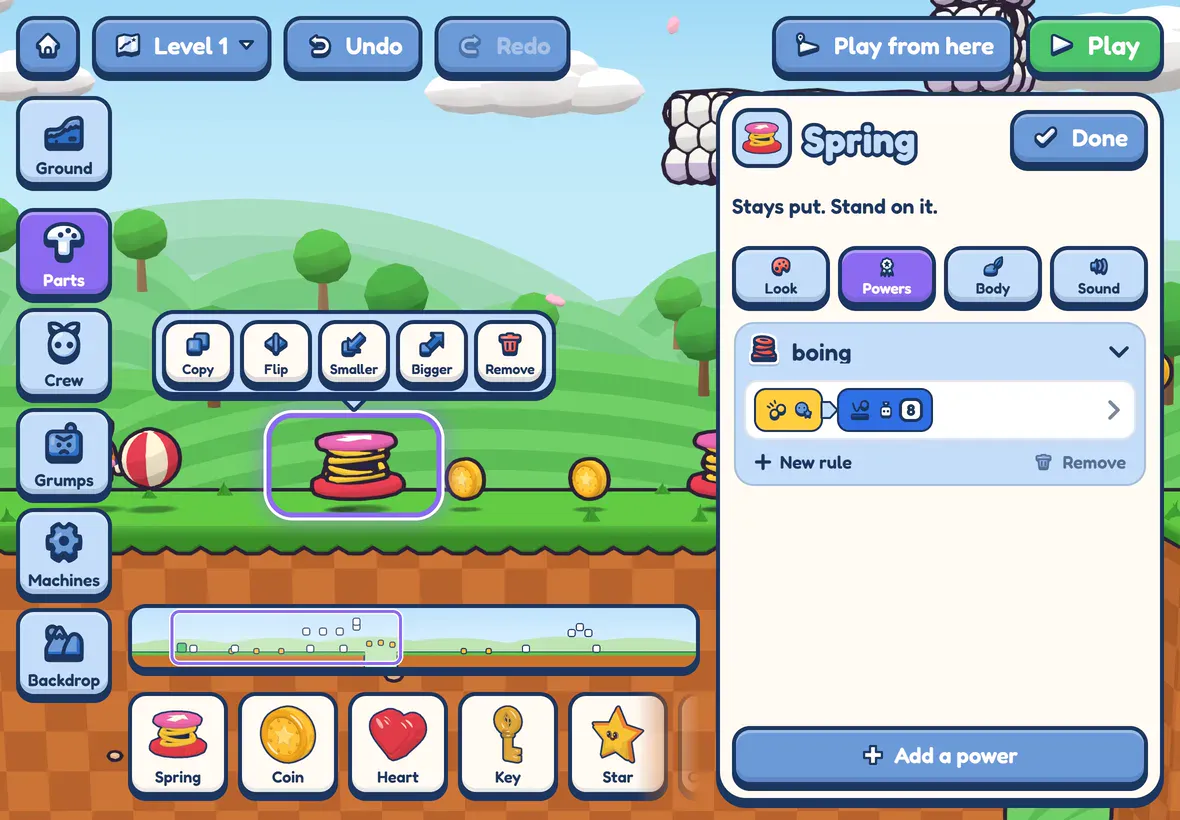
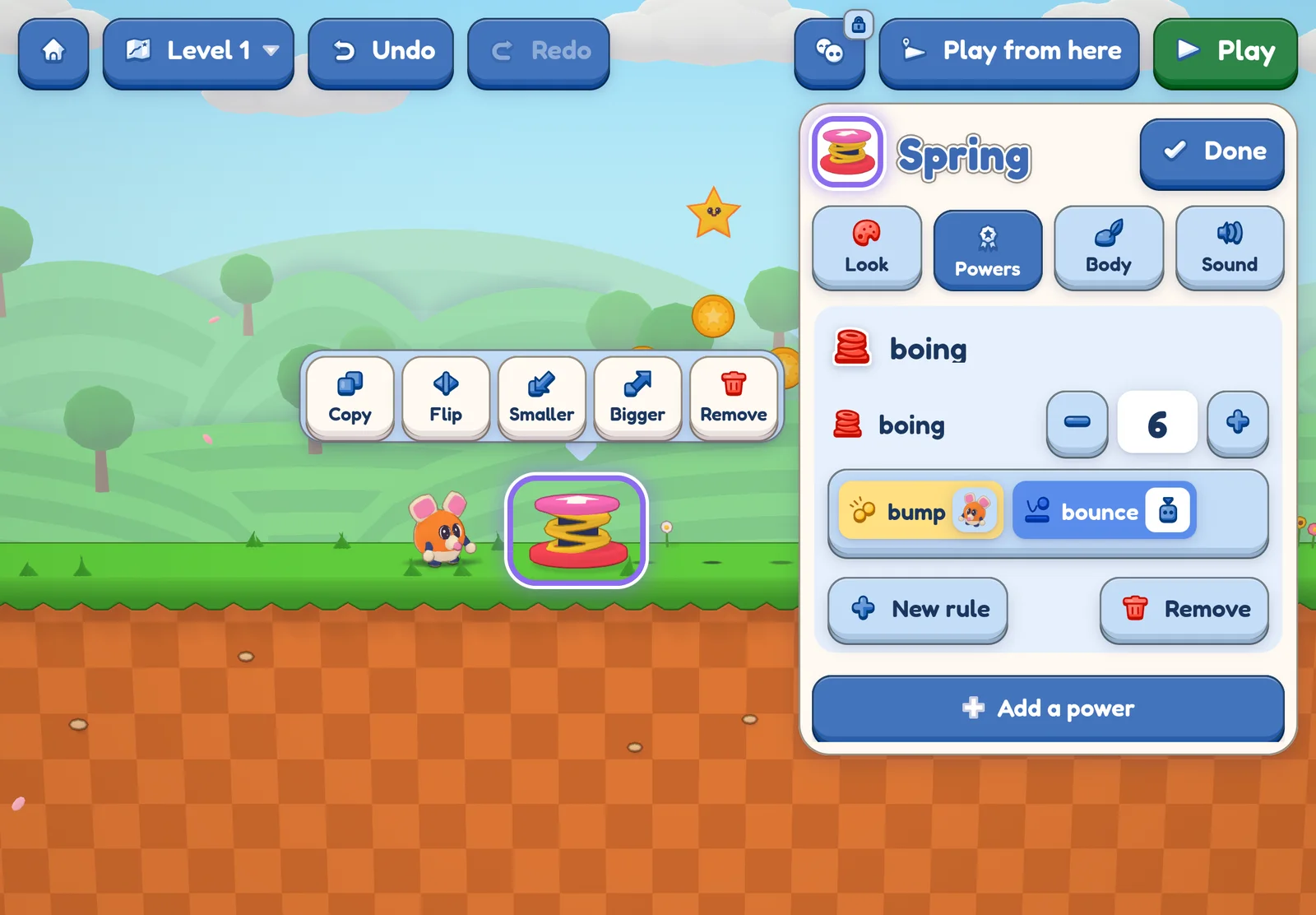
Parts wait in a tray along the bottom: a spring, coins, a star. Kids drag them in. Then comes the step most tools hide. Tap the spring, and its card shows its power, called boing, with one number for how hard it throws. Tap Rules and the rule behind it is there too: bump, then bounce. This spring says 6. Ask what they think 9 will do. Then let them press the plus and find out.
Play it, then change it again
Press Play. The level they built runs at once, with the number they chose. Too high? Not high enough to reach the star? The Edit key takes them back. Build, play, change: that loop is game design, and a five-year-old can run it without reading a word.
What to say while they make
Your job is to be the first player, not the teacher. Three questions do most of the work.
- “What do you think will happen?” Ask before they press Play. A guess turns a change into an experiment.
- “What did you want it to do?” Ask when it goes wrong. It’s kinder than “what’s wrong?”, and it points at the fix.
- “Can I play it?” Then play it badly. Fall in the gap. Miss the star. Nothing shows a kid how their level works like watching someone else in it.
Keep your hands off the screen. If you fix it, it’s your game.
What to do when it breaks
It will, and that’s the good part. A spring that throws Kip clean past the star is a puzzle with an answer. A kid who finds that answer has learned more than one who followed steps to a game that worked the first time. We wrote about why in fixing beats following.
Stop while it’s still fun. Twenty minutes that end with “can I show you?” beat an hour that ends in tears.
What a first game looks like
Don’t expect a masterpiece. Expect a flat level with too many coins and a spring that fires Kip into the sky. What matters is what changed in their head: games are made of rules, somebody chose those rules, and next time that somebody can be them.
Game Creators Club isn’t in the App Store yet. When it is, the first two lessons, two levels and their first game of their own are free, with no card. Get it on launch day: leave your email and we’ll send one message that day, then delete your address.