
What they learn, and how you see it
GCC Parents
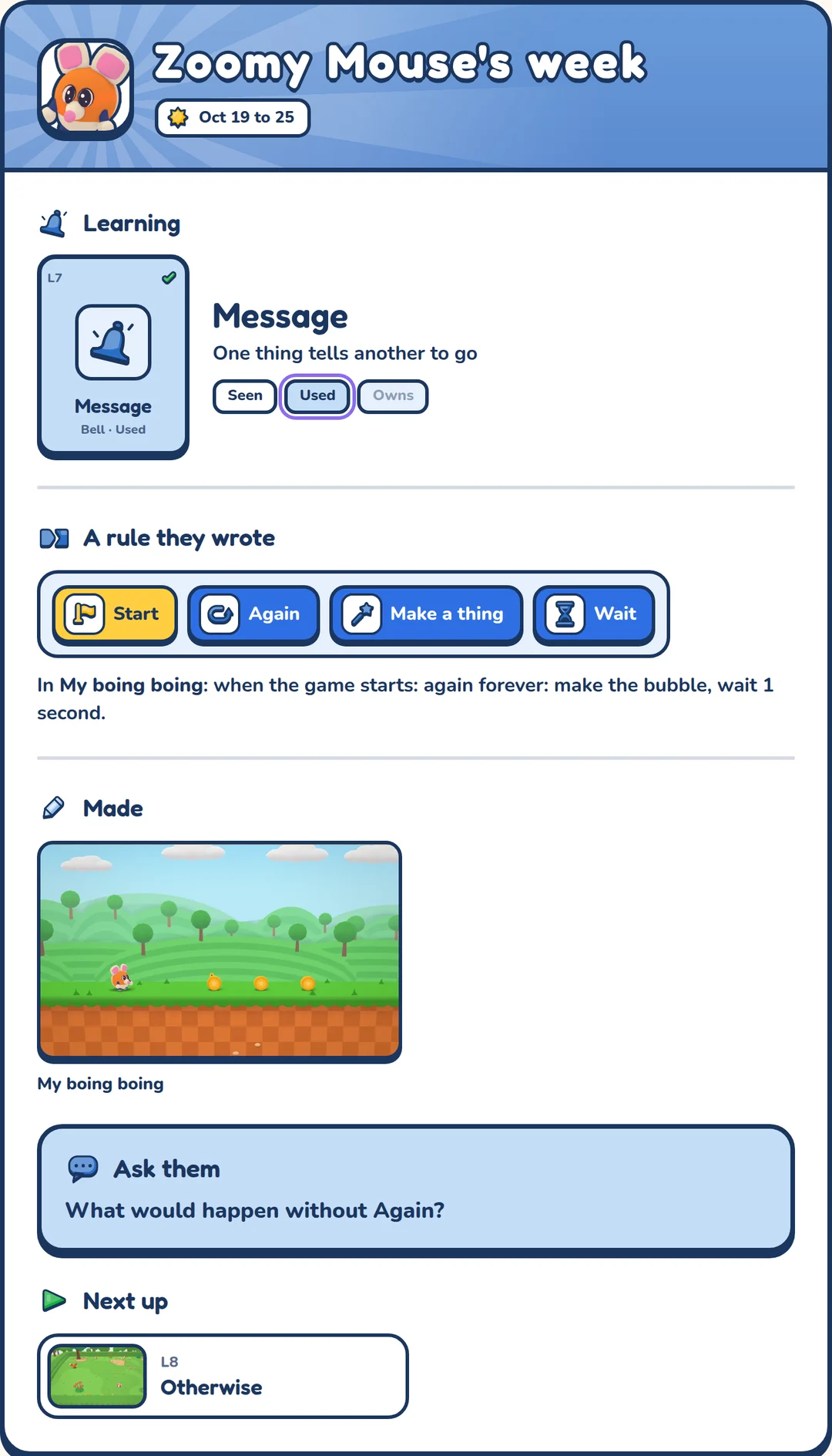
- A card every week: what they made, what they learned and a question to ask them
- Their own rules, with a plain line under each
- Every game they made, backed up
- Up to four kids, each with their own page
- Friend groups, only the ones you say yes to
The coding ideas they use
- EventKids call it When / DoSomething happens, then a rule runs
- ParameterKids call it Number dialA number changes how much
- SequenceKids call it OrderRules run in order
- LoopKids call it AgainA rule runs again and again
- VariableKids call it JarA jar keeps count
- If-statementKids call it IfA rule checks first, then runs
- MessageKids call it BellOne thing tells another to go
- ElseKids call it OtherwiseIf not, this instead
- StateKids call it MoodA mood changes what it does
- RandomKids call it DiceThe dice picks
- FunctionKids call it PowerA power made once, used anywhere
- DebuggingKids call it Fix itFind what's wrong and fix it
- ExpressionKids call it MathWork out a new number from the old one
- ComparisonKids call it CompareWhich number is less, or more
- TimerKids call it Own clocksEach thing keeps its own time
- Game feelKids call it Feel goodLittle touches make a game feel real
- SpawnKids call it Make moreMake new things while the game runs
- ArgumentKids call it Turn the knobOne power, and each thing sets its own number
- Global variableKids call it Keep itA jar keeps its number from room to room
- BreakpointKids call it Stop right thereStop the game the moment a rule runs, and see who ran it
- CameraKids call it Follow meThe camera shows the part that matters
- InventoryKids call it In the bagA bag carries what you pick up
- MultiplayerKids call it Two can playEach player has their own buttons
- CodeKids call it Read the codeThe same rule, in words a computer reads
Every idea climbs three steps
A card is Seen when they finish its lesson, Used once it’s working in a game they changed, and Owns when they use it in a game of their own. At Owns the app gives the idea its real name: “Coders call this a loop.”
- Seen
- Used
- Owns
Learning by fixing real games
- PlayThey play a real level. Something is missing, or something is broken.
- PeekThey open the game’s brain and watch each rule light up as it fires.
- FixThey fix the broken rule. The game itself checks the fix, not a quiz.
- MakeThey put what they learned into their own copy of the game, then play it.
Screen time that ends with something made
Every level ends
Each level ends on a done card, so there’s always a good place to stop.
They make, not just watch
Every lesson ends with them building what they learned into a game of their own.
No pings to pull them back
The kids’ app never sends a notification. Reminders come to you.
Ages 5 to 9
Everything a kid touches is a picture and one plain word, so they don’t need to read yet. Kids climb by what they’ve mastered, not by their age.
iPad, iPhone and the web
All at launch, Chromebooks and laptops too. Android and Fire tablets come after. GCC Parents works in any web browser.
Up to four kids
One plan covers the family. Each kid has their own games and progress, even on a shared iPad.